This guide is for parents whose child studies on Mathema. You can change your parent account password in the settings at any time. If you’ve forgotten it, you can easily reset it by email.
🔑 How to change your password
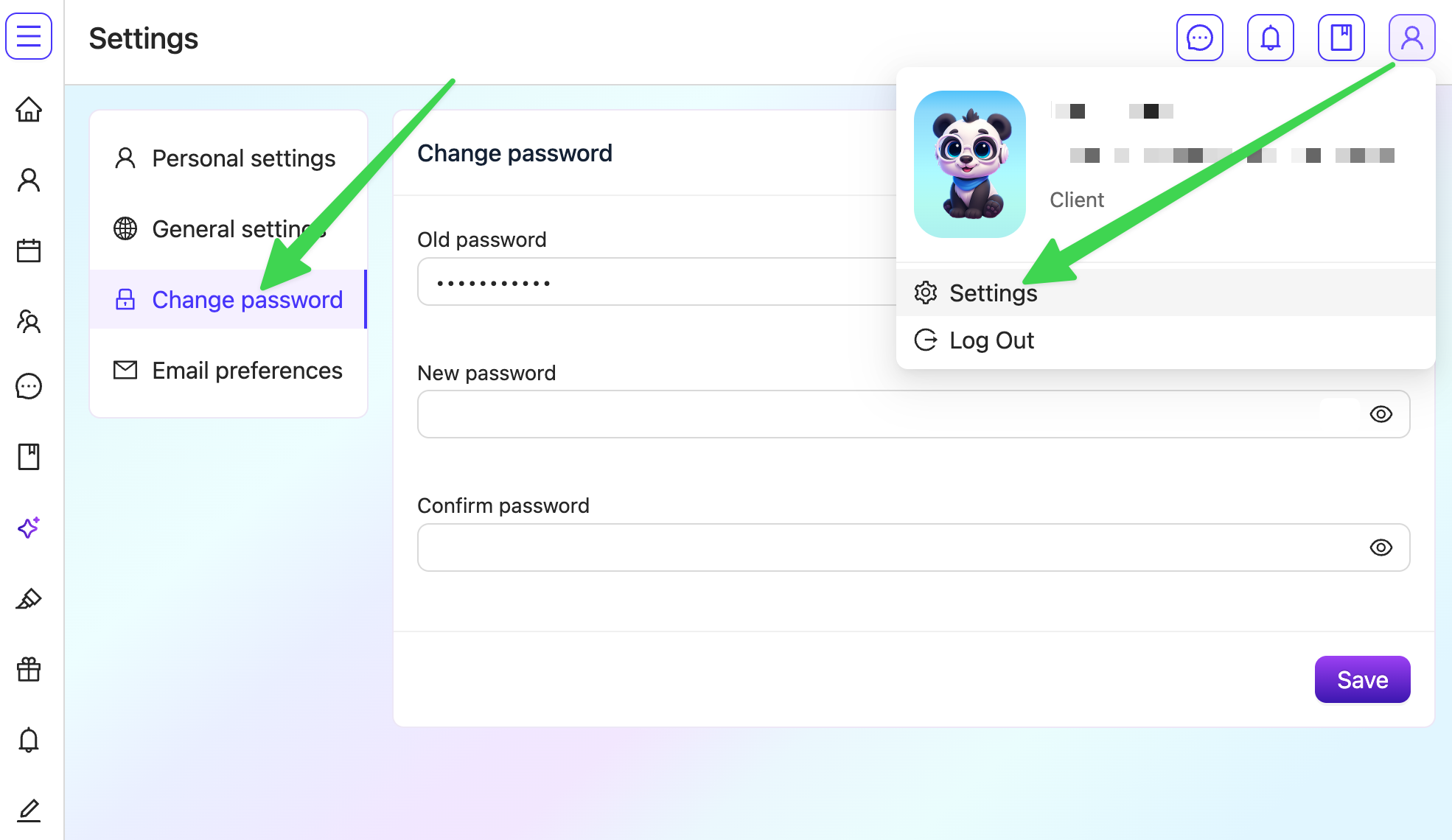
- Click the profile icon in the top right corner of the page.
- Select Settings.
- In the menu on the left, click Change password.
- Fill in the fields:
- Old password: your current password;
- New password: the password you want to use;
- Confirm password: your new password again.
- Click Save.
✅ That’s it! From now on, log in with your new password.
❓ How to reset your password if you’ve forgotten it
- Open the password reset page.
- Enter the email you used to sign up.
- Click Reset password.
- Open the email from Mathema and create a new password.
Read also
Register as a parent or student
How a student can sign in to the platform without an email and password
