Prepare for your lessons faster and make them richer and more varied. The preparation feature helps you create materials for any type of lesson and tailor them to each student's needs.
🧩 What you can prepare
When preparing, you can choose one of these formats:
- Diagnostic test, to assess the student's current level of knowledge;
- Quiz, to quickly check understanding of a topic or homework;
- Practice task, to add exercises to the lesson and reinforce the material;
- Lesson plan, to get a structure and ideas for running the lesson.
▶️ How to prepare for a lesson
- Log in to your account on Mathema.
- In the Calendar, select the lesson you want to prepare for.
- Click Prepare for class.
- Choose a format, fill in the form, and click Generate.
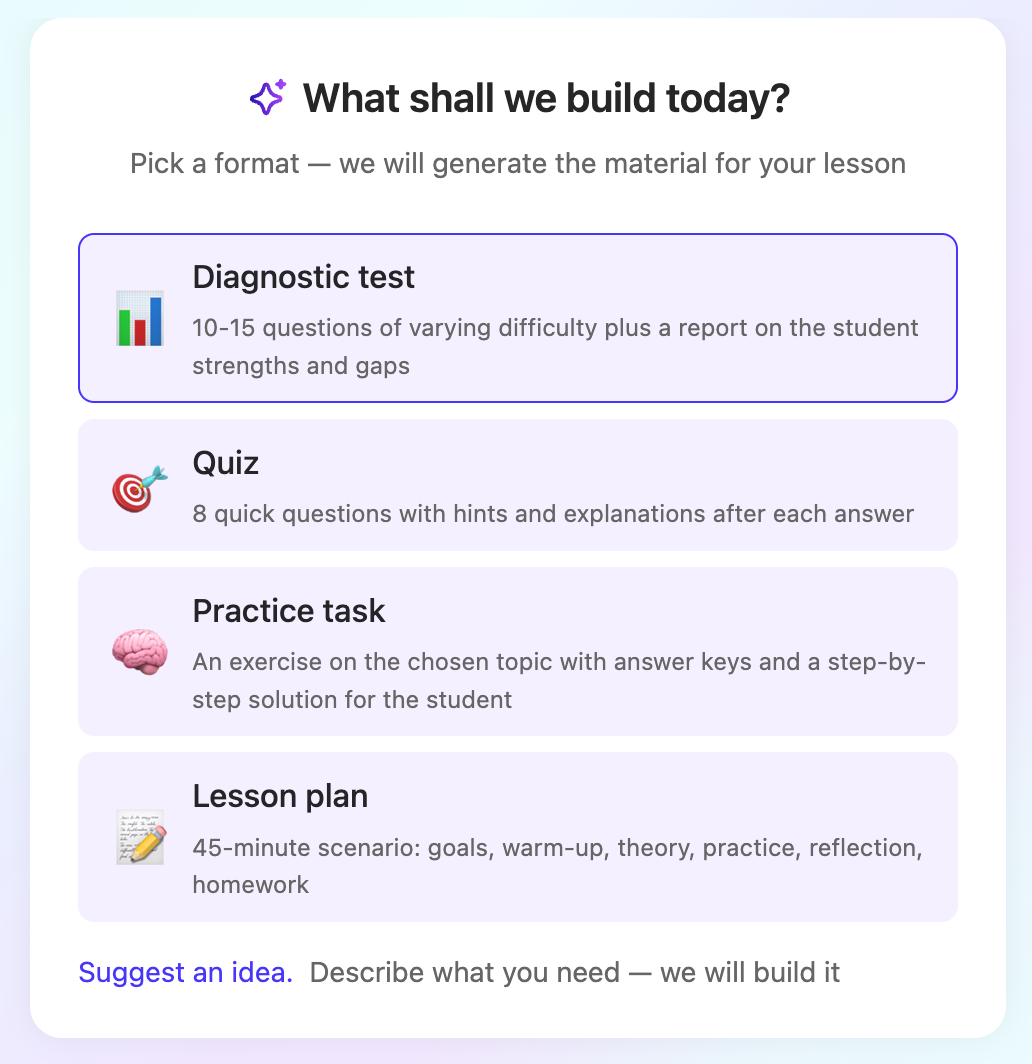
- Check that the system understood your request correctly. If needed, edit the text or add clarifications.
- Click Generate.
✅ Done! You can view the preparation in Lesson details.
If you're preparing for an introductory lesson, you don't need to choose a format. As soon as you click Prepare for class, the Diagnostic test form opens right away.
🗂️ All the preparations you've created for your students are available in the Preparation library section of your account.
Related articles
What reports teachers need to create and how to fill them in
